MDXREF

Cross-Platform Application Analysis for IBM i

Integrated cross-referencing for analysis, change, and deployment.

Simple

Install and run in an hour

Multiple-System Referencing

Single view over entire applications and systems stack

Recursive Dependency Analysis

Painless compilation, builds and deployments with accurate sequencing

Any Language or Repo

Configurable parsing for any coding language or repo (GIT/SVN)

Modern SQL Analysis

Functions, procedures, views, constraints, UDTs, temporal tables, and more

Multi-Channel Interface

RDi/Eclipse, 5250, VSCode, Excel, Reports, Journal Analysis

Never Miss Anything

Field-level cross-reference and recursive dependency insight for IBM i application libraries—so nothing is left to guesswork when you change, compile, or deploy.
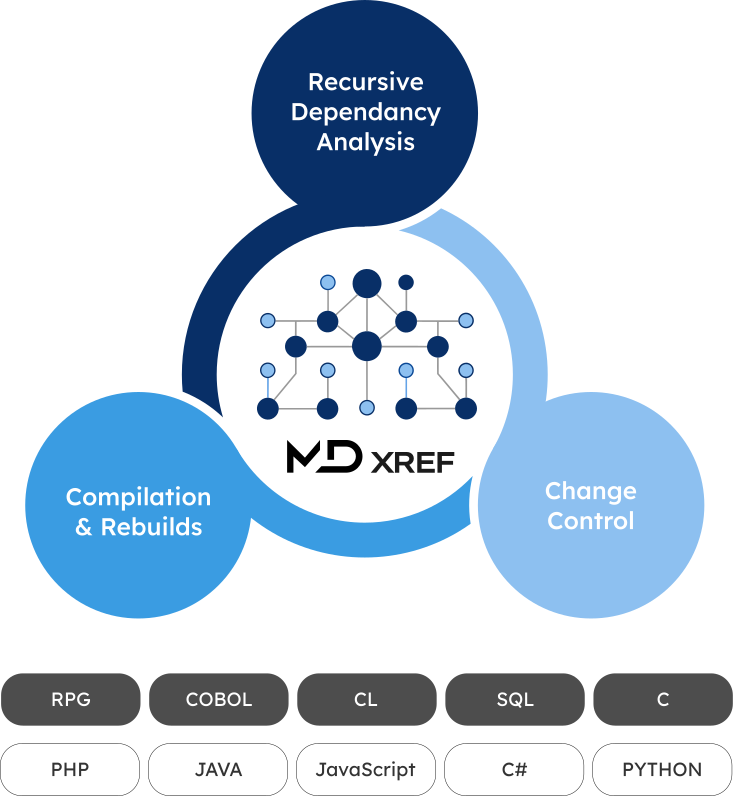
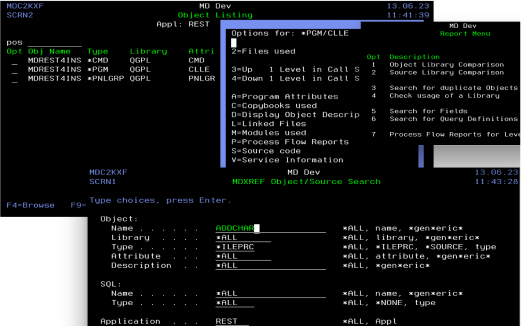
  • MDXREF tracks and reports on inter-relationships of all files and objects in application libraries down to the field level.
  • The MDXREF map spans libraries, LPARs, and systems.
  • MDChange uses MDXREF to automate dependency re-builds and warn of potential missed items at change request and installation.
  • MDXREF ensures painless compilation and rebuilds using Recursive Dependency Analysis for correct sequencing.
Recursive dependency analysis for MDXREF

Multi-Channel Interface and Exports

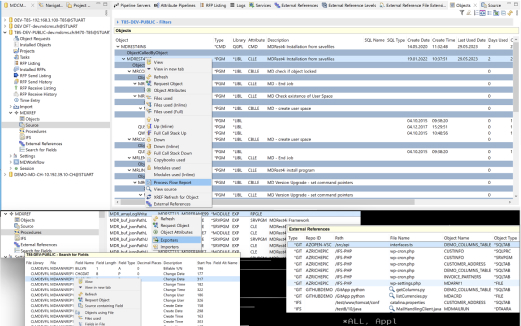
IBM i 5250 green screen
Green-Screen
RDi or Eclipse
RDi/Eclipse

Use MDXREF from multiple IDEs including:

  • IBM i 5250/Green Screen
  • RDi or Eclipse
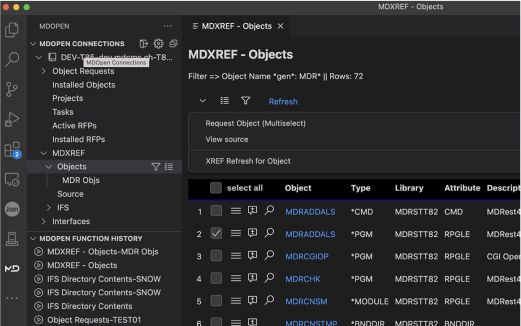
  • Visual-Studio Code
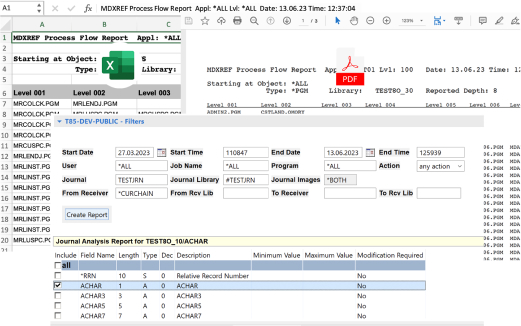
Reports and exports
Reports-Exports
Visual Studio Code
VSCode

Export analysis reports to:

  • Excel/CSV
  • PDF
  • Text
  • Print File
  • Physical File

Detailed MDXREF Features

MDXREF is packed with IBM i application and object cross referencing features that track and report on inter-relationships of all files and objects in application libraries right down to the field level. File referencing, process flow, bound objects, source referencing and more are easily managed in this powerful solution.

File Referencing

  • View all fields defined for a file
  • Search for field usage with wildcards and reference fields
  • View SQL relationships for tables including indexes, views, constraints, triggers, UDTs
  • View display/printer file field references to other files
  • View all programs that use a file and how the file is used
  • View all queries using a file
  • View CL programs using files with FMTDTA, OVRDBF, CPYF, or OPNQRYF commands
  • Expand file usage information across all dependencies or focus in on specific relationships

Source Referencing

  • View all programs using a copybook
  • View all copybooks used by a program
  • Compare Source Member contents across libraries and systems
  • Source Comparison Functions support IFS or source members for comparison

Support Bound Objects

  • Quickly understand module and program relationships
  • Identify imports and exports for your procedures
  • Identify where any service program or module is bound into program

Process Flow

  • View all programs calling a program, command, or query
  • View all commands invoking a program
  • View all menus calling a program, command, or query
  • Use the reporting facility to show the entire process flow of an application as well as all files used by the process flow
  • Incorporate ROBOT, Advance job scheduling or IBM job scheduler calls
  • Incorporate your own cross reference data such as file driven menu systems
Schedule a Demo

Speak To Our Experts

For more info, a live demonstration, or to discuss your business and technical needs with the Midrange Dynamics team.

Request Info